
Oct 28, 2026 · @Steve Conley
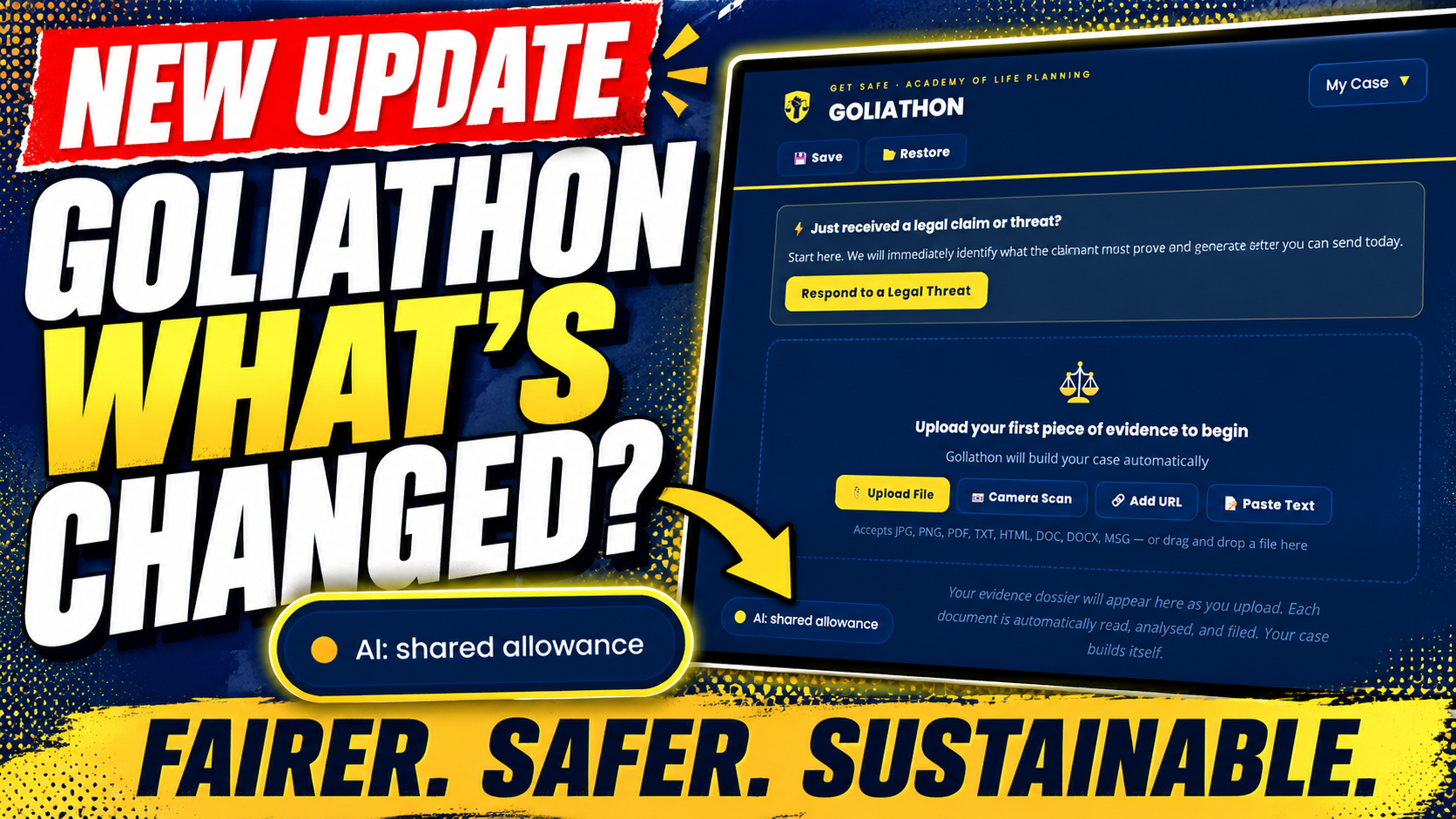
Today we made Goliathon safer, fairer and more sustainable. Everyday use now runs on a shared monthly AI allowance that we fund, and anyone planning a large job can switch to their own Anthropic key in a few clicks.
Goliathon helps people in a dispute with an institution turn a pile of letters, emails and records into an organised evidence dossier. It is a tool of Get SAFE (Support After Financial Exploitation), hosted by the Academy of Life Planning. During November, Goliathon will become part of Academy OS, the Academy’s membership that funds our tools and the AI behind them.
This post explains why we made the change, what changed, and how to use the new option.
Why we changed it
Goliathon’s AI analysis has a real cost, and one very large job could have switched it off for everyone. Each document Goliathon reads, and each question you ask about your case, is processed by Claude, the AI made by Anthropic. Anthropic charges us for that work.
For a typical document the cost is a few pence. For very large files it is much more. Recently, a member wanted to load several thousand pages in one go. On its own, that job could have used more than our entire monthly AI budget.
We have also chosen accuracy over economy. Goliathon reads each new document alongside your whole case, so it can spot contradictions, duplicates and changes in the story. That gives better analysis, but every document costs more to process.
We had three options:
- Raise the price for everyone, so that every member pays for a few very large jobs, and fewer people can afford help.
- Track each person’s usage, which means keeping records about individuals that we would rather not hold.
- Share the cost fairly and trust people, with a simple way to carry larger jobs yourself.
We chose the third. It fits how we work across the Academy of Life Planning: we would rather build capability and trust than surveillance and dependency.
What changed
Five things changed today. For most people, Goliathon works exactly as before.
| Change | What it means for you |
|---|---|
| A shared monthly AI allowance | We fund a fixed amount of AI processing each month, shared by every member. From November, Academy OS membership helps pay for it. Everyday use is covered. |
| An option to use your own Anthropic key | For big jobs, you can pay Anthropic directly for your own usage. It takes about ten minutes to set up. |
| A clear status button | A small button at the bottom left shows whether Goliathon is using the shared allowance or your own key. |
| No daily chat limit on your own key | On the shared allowance, each case can send 30 chat messages a day. With your own key, that limit doesn’t apply. |
| Stronger security | Goliathon’s AI connections now accept requests only from Goliathon itself. |
We also now record how much AI processing each request uses: token counts only. These records contain no case content, no messages and nothing that identifies you. They help us keep the allowance fair and sized correctly.
How to use your own key
Use your own key if you’re adding more than about 20 documents at once, or a very long chronology. For everything else, the shared allowance is there for you.
Step 1: Get a key from Anthropic
- Go to platform.claude.com and create an account, or sign in.
- Add a small amount of credit in Billing. Start small, for example £10.
- Set a monthly spend limit, so you’re protected from surprises.
- Open API keys, click Create key, and copy the key. It starts with
sk-ant-.
Step 2: Add it to Goliathon
- In Goliathon, click the AI: shared allowance button at the bottom left of the screen.
- Paste your key into the box.
- If you’re on your own computer, you can tick Remember on this device. Leave it unticked on a shared or public computer.
- Click Check and use this key. Goliathon checks the key with Anthropic before using it.
- When you see the green confirmation, the button changes to AI: your own key. You’re ready.
Step 3: When your big job is done
Click the button again and choose Forget my key. Goliathon goes straight back to the shared allowance.
If the shared allowance runs out during the month, Goliathon will open this panel for you and explain your options. You can carry on with your own key, or wait until the allowance refreshes on the 1st.
How your key is handled
Your key stays in your browser and under your control. Here is exactly what happens to it:
- Where it’s kept: only in the browser you’re using. By default it’s forgotten when you close the tab. If you tick Remember on this device, it stays until you choose Forget my key.
- When it’s used: it travels securely to Goliathon’s server with each AI request, is used for that one request, and is then discarded.
- What we never do: we never store your key, and we never write it to our logs.
- Your account: your Anthropic account, credit and charges are between you and Anthropic. You can delete the key in your Anthropic Console at any time, and it stops working immediately.
The spend limit you set in Step 1 is your own safety net. Even if something unexpected happened, Anthropic would stop at the limit you chose.
Questions you may have
Do I have to use my own key? No. Most people never will. The shared allowance covers everyday use: adding documents as they arrive and asking questions about your case.
What counts as a big job? Roughly, adding more than 20 documents at once, or a very long chronology. It’s a guide, not a rule. We trust you to judge it.
What happens if the shared allowance runs out? AI features on the shared allowance pause until the 1st of the next month. Your dossier and everything already in it stay safe. If you need to carry on, you can switch to your own key straight away.
How much will my own key cost me? It depends on how much you process. A typical document costs a few pence; very large files cost more. The spend limit you set means you’ll never pay more than you chose.
Does using my own key change what’s shared with Anthropic? No. Your evidence and chat messages are processed by Claude in the same way either way, as described in Goliathon’s privacy policy. Your key only changes who pays for that processing.
I’m not confident with this kind of thing. Can I get help? Yes. Please use the support link in Goliathon to contact Get SAFE. Nobody needs to work this out alone.
Trust, shared
This change rests on a simple idea: a shared resource works when people can see it and look after it together. That is why the status button is always visible, and why we explain the allowance rather than hide it.
It also reflects a principle we hold across the Academy of Life Planning: advice out, agency in. Goliathon helps you organise and understand your own case. It does not decide for you, and the new key option puts another choice in your hands.
Over the coming weeks we’ll review real usage and adjust the allowance and the guidance on big jobs if needed. We’ll tell you when we do.
We made these changes with the help of Claude, and we tested each one ourselves before releasing it. If anything isn’t working as described, please let us know through the support link in Goliathon.

